Compression is not the only dynamics processor in the mix. The limiter, the expander and the noise gate complete the dynamics processor family, each with a specific role that the compressor cannot cover. Knowing them and understanding when to apply each one is essential for maintaining total control over the dynamics of the mix.
The four dynamics processors
All dynamics processors act on the signal level relative to a threshold. What distinguishes them is in which direction they act and with what intensity:
- Compressor: Reduces level when the signal exceeds the threshold. Low to moderate ratio. Result: reduced but musical dynamics.
- Limiter: Reduces level when the signal exceeds the threshold. Very high or infinite ratio. Result: the signal cannot exceed the ceiling.
- Expander: Reduces level when the signal falls below the threshold. Gradual ratio. Result: expanded dynamics, quiet sounds even quieter.
- Noise gate: Reduces level when the signal falls below the threshold. Very high or infinite ratio. Result: everything below the threshold is silenced.
Compressor and limiter act downward on loud signals (downward compression); expander and gate act downward on quiet signals (downward expansion). They are two symmetrical families with opposite logic.
The limiter
A limiter is a compressor with a very high ratio — typically 10:1 or above, and in its most extreme form infinite (∞:1) — and a very fast attack, designed to prevent the signal from exceeding a defined maximum level. Where the compressor reduces dynamics proportionally and musically, the limiter acts as a practically impenetrable barrier.
Brickwall limiter
The brickwall limiter has an ∞:1 ratio and a near-instantaneous attack. The signal cannot exceed the defined ceiling under any circumstances. To react that quickly without generating audible artefacts, modern brickwall limiters use a lookahead system: they introduce a very small delay into the signal (1–2 ms) that allows them to "see" peaks before they arrive and prepare the gain reduction in advance.
The brickwall limiter is the last processor in the mastering chain, and can also be used in the mix as a safety net on the main bus.
When to use a limiter in the mix
In the mixing context (as opposed to mastering), the limiter has specific uses:
- Mix bus protection: A gentle limiter on the main bus (with the ceiling at -0.3 or -1 dBFS) acts as a safety net that prevents unexpected peaks — a guitar solo that suddenly rises, a louder-than-expected drum hit — from saturating the DA converter or causing digital clipping in the mix.
- Individual channel peak control: On highly dynamic channels such as vocals or bass, a fast limiter on the channel insert can control very brief peaks that escape the compressor without the effect being audible, unlike a compressor with a very high ratio that colours the sound more.
- Subgroup buses: A limiter on the drum bus or vocal bus protects that subgroup from extreme peaks before they reach the main bus.
The ceiling and True Peak
The ceiling is the maximum output level the limiter allows. In mixing it is typically set between -1 and -6 dBFS depending on the headroom to be preserved for mastering.
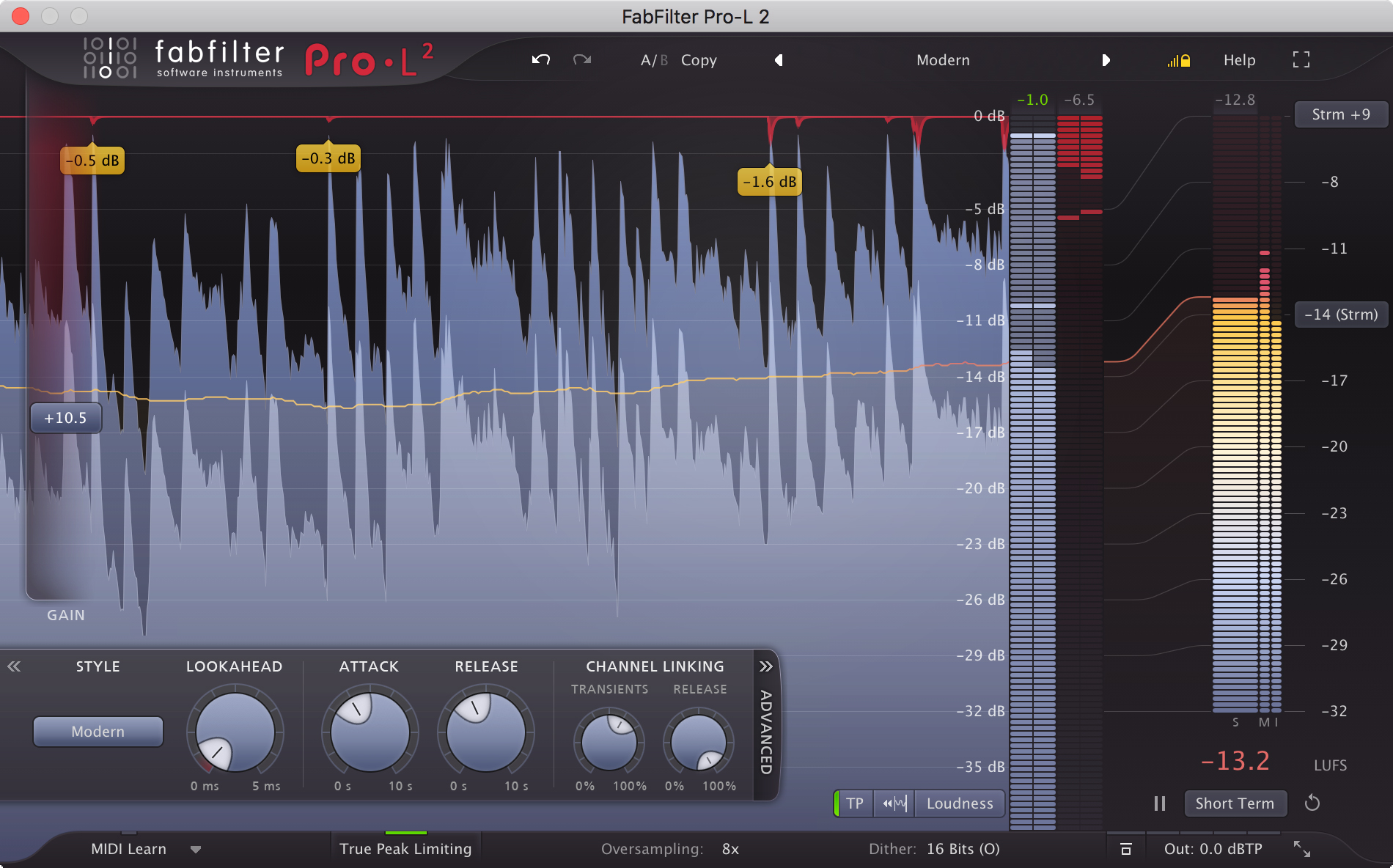
True Peak is the actual maximum level of a signal taking inter-sample interpolation into account: it can be higher than the sample peak shown by conventional meters. Modern limiters with True Peak Detection (such as the FabFilter Pro-L2 or the iZotope Ozone Maximizer) detect and control these inter-sample peaks, which are particularly relevant when exporting in compressed formats such as MP3 or AAC. The recommended standard for digital distribution is -1 dBFS True Peak.
Limiter vs. clipper
A clipper (or peak saturator) is a different tool from a limiter, though both restrict the maximum signal level. The difference lies in the mechanism:
- The limiter acts on the average signal level (gain) with a minimum but perceptible reaction time.
- The clipper acts on the instantaneous waveform value, truncating it directly at the ceiling with no reaction time. It generates harmonics and distortion, which in small amounts can sound musical (warmth, density) and in large amounts is clearly audible distortion.
In modern production, it is common to use a soft clipper before the limiter: the clipper "shaves" the most extreme transients generating a little harmonic warmth, and the limiter manages the maximum output level. This combination allows more loudness with less perceptible distortion than using an aggressive limiter alone.
The expander
The expander (or downward expander) is the opposite of a compressor: while the compressor reduces level when the signal exceeds the threshold, the expander reduces level when the signal falls below the threshold. The result is that the quieter moments of the signal become even quieter, expanding the dynamic range rather than reducing it.
Its ratio parameter works inversely to a compressor's: a ratio of 1:2 means that for every dB the signal falls below the threshold, the expander pulls it down an additional 2 dB. The higher the ratio, the more aggressive the expansion.
What it is used for in the mix
The expander is the tool of choice when background noise needs to be reduced from a track in a smooth and musical way, without the abrupt cuts of a noise gate. Its most common applications are:
- Background noise reduction on vocals: An expander with the threshold above the room noise level and a gentle ratio (1:1.5 to 1:3) gradually attenuates noise between phrases without the transition between active vocal and silence sounding artificial.
- Guitar hiss control: Amplifier hiss between notes is reduced without the expander "biting" into the beginning or end of notes.
- Bleed between microphones: In drum recordings with heavy bleed, a gentle expander on tom microphones reduces the sound of other kit elements when the tom is not playing, without the risk of cutting the natural decay of the hits.
The noise gate
The noise gate is a dynamics processor that acts when the signal falls below the threshold, silencing or drastically reducing it. Unlike the expander, which attenuates gradually, the gate acts like a switch: when the signal exceeds the threshold, the "gate" opens and lets sound through; when it falls below, the "gate" closes.
Noise gate parameters
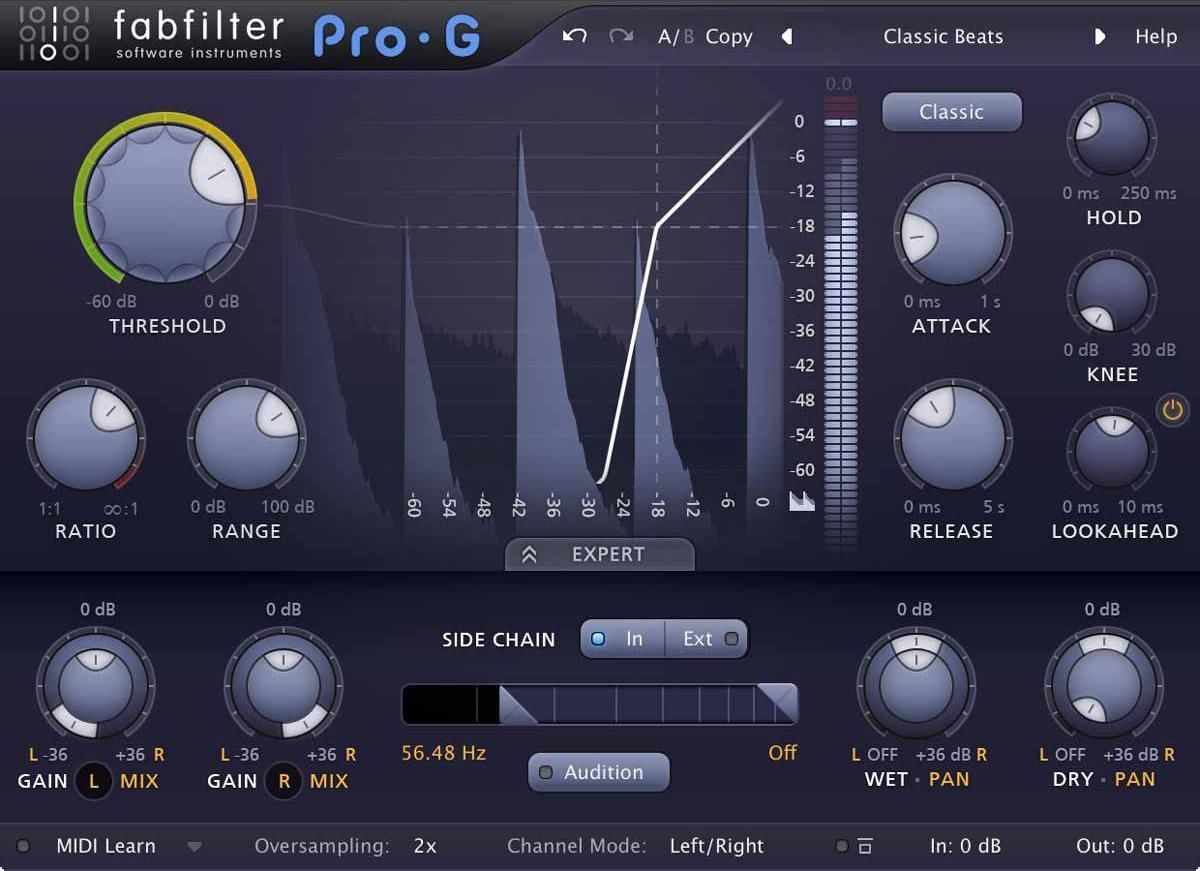
- Threshold: The level above which the gate opens. Everything above the threshold passes; everything below is attenuated. The most critical parameter: too high and the gate can cut parts of the desired signal; too low and noise passes unfiltered.
- Attack: The time it takes the gate to fully open once the signal exceeds the threshold. Too slow an attack can cut the onset of transients (the attack of a snare hit, the beginning of a syllable).
- Hold: The minimum time the gate stays open after the signal falls below the threshold, before beginning to close. Prevents the gate from closing during the natural decay of a note, which may momentarily dip below the threshold even though the sound is still desirable.
- Release: The time it takes the gate to fully close after the Hold period. Too fast a release can produce an audible cut; too slow may allow noise to pass through.
- Range (or Floor): The amount of attenuation the gate applies when "closed". With Range at -∞ dB (infinite), the gate silences the signal completely. With a Range of -20 dB, it still allows some signal through even when closed, producing a more natural result.
Noise gate applications in the mix
Drums: the classic use
The noise gate on drums is the most common and one of the most effective applications. In a drum session recorded with close microphones, bleed from other kit elements enters every microphone: the snare mic picks up the kick, toms and cymbals; the tom mic picks up the snare and cymbals. This muddies the mix and makes individual processing of each element more difficult.
A gate on each drum channel solves this: when the tom is not playing, the tom microphone stays closed and the bleed from other microphones does not pass through. The gate only opens when the tom itself hits hard enough to exceed the threshold.
Key parameters for drums:
- Threshold just above the bleed level but below the instrument's hit level.
- Very fast attack (0.1–1 ms) to avoid cutting the transient of the hit.
- Sufficient Hold so the gate does not close during the hit's decay.
- Moderate release so the closure is not perceptible.
Vocals and room noise
A gate on vocals eliminates room noise (or preamplifier hiss) in the silences between phrases. The result is that the vocal track is completely clean when there is no voice, rather than containing an audible level of background noise. It must be adjusted carefully: a threshold set too high can cut the beginning of syllables or the end of phrases; too slow an attack can bite into the initial consonant of a word.
In many situations, an expander is preferable to a gate on vocals: the gradual attenuation of the expander sounds far more natural than the gate's abrupt cut, especially on vocals with soft dynamics where the transition between voice and silence is gradual.
Sidechain on the gate
Like the compressor, the gate can use a sidechain signal to trigger it. The most creative use is the rhythmic gate: a gate is inserted on a synthesiser pad or strings bed, and the kick drum is used as the sidechain. Every time the kick hits, the gate opens the pad for an instant. The result is a pad that "follows" the kick drum's rhythm, creating a tremolo-like rhythmic effect that is very common in electronic music and modern pop.
When to use each dynamics processor
- Compressor: Controlling dynamics, adding character, improving sustain. Musical reduction of dynamic range.
- Limiter: Protecting against clipping, increasing loudness in mastering, safety net on the bus.
- Expander: Reducing background noise and bleed smoothly and naturally. Transparent transitions.
- Noise gate: Eliminating noise between sound events. Maximum cleanliness on drums, vocals or guitars.