Before DAWs existed, recording a song required a room full of physical equipment: a multitrack tape recorder, an analogue mixing console, preamplifiers, dynamics processors and outboard effects, all interconnected by a maze of cables. The DAW brought all of that together into a single piece of software running on a standard computer.
It is the operations centre of any modern recording studio, from the simplest bedroom setup to the most advanced professional installation.
What is a DAW?
A DAW (Digital Audio Workstation) is the software that makes it possible to record, edit, mix and master audio in a digital environment. It integrates into a single programme the functions that previously required separate physical equipment:
- Multitrack recording: Simultaneously captures audio from all channels connected to the audio interface, each on its own independent track.
- Audio editing: Allows any recorded audio segment to be cut, moved, rearranged and modified with total precision and without quality degradation.
- MIDI sequencing: Records and edits MIDI data to control virtual instruments and external equipment, allowing instrumental parts to be composed and programmed without recording them with a microphone.
- Mixing: Provides faders, equalisers, compressors and a virtual mixing environment where all recorded tracks are balanced and processed.
- Basic mastering: Allows the final processing to be applied before exporting the audio file in the chosen distribution format.
All of this happens in real time, on a visual timeline that represents the song's progression from left to right. Tracks are stacked vertically, each with its own processing chain, and the final result is heard through the monitors or headphones connected to the audio interface.
The components of the DAW environment
Although the interface varies between programmes, all DAWs share a set of fundamental elements:
The arrangement view
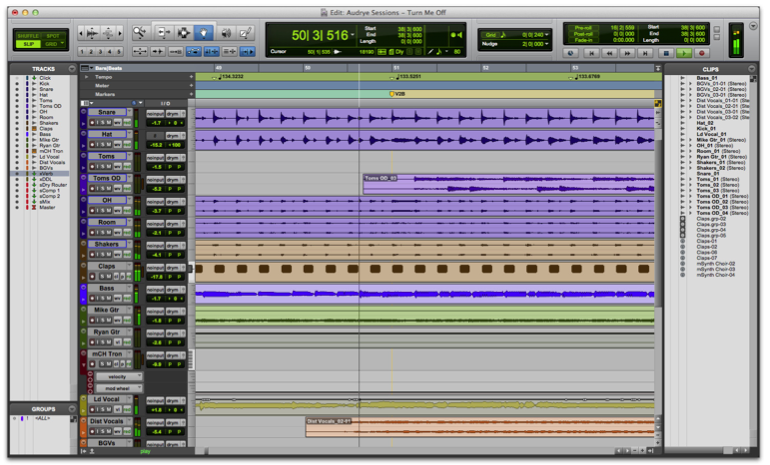
This is the main working view: a timeline where audio and MIDI tracks are laid out over time. This is where the song structure is organised (intro, verses, choruses, bridge, outro), audio regions are edited and the complete arrangement is built.
The mixer
This is the virtual representation of a mixing console: each track has its own channel with a volume fader, pan control, mute and solo controls, and an insert chain where processing plugins are added. The mixer is where mixing decisions are made.

The piano roll
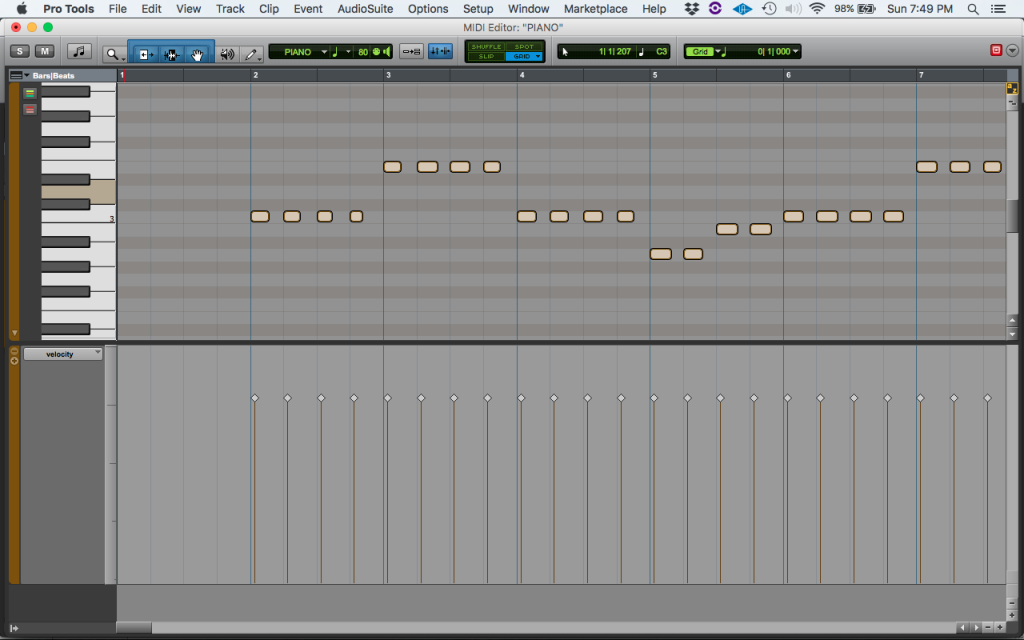
This is the MIDI data editor: a grid where the horizontal axis represents time and the vertical axis represents musical notes (like the keys of a piano). It allows MIDI notes to be drawn, moved and edited with total precision, without the need to play an instrument in real time.
The file and sample browser
Provides quick access to the project's audio files, sample libraries, installed virtual instruments and available plugins. In many modern DAWs, it also includes search and preview functionality.

Plugins
These are software components that integrate within the DAW to add virtual instruments or additional audio processors. The most common formats are VST (compatible with Windows and Mac, the most universal), AU (Audio Units, Mac only) and AAX (Pro Tools only). Each DAW includes a selection of native plugins but also allows third-party plugins from any manufacturer to be installed.
The most widely used DAWs
The DAW market is dominated by a series of programmes that have defined the industry standard in different contexts and genres. Each has a particular focus and a specific user community.
Pro Tools (Avid)
The most widely used DAW in professional recording studios and post-production facilities worldwide. Its strength lies in multitrack recording, high-precision audio editing and mixing in large-channel sessions. It is the standard in major studios, film and television facilities, and any environment where many musicians or voice actors are recording simultaneously.
Its historical main limitation has been price and installation complexity (it required Avid's own hardware for many years), though it is now available as standalone software. Its focus is more oriented towards the recording engineer than the producer who composes from scratch.

Logic Pro (Apple)
The standard DAW in the Mac ecosystem for music production. It combines a very solid recording and editing workflow with one of the best selections of native virtual instruments and plugins on the market (including a sampled Steinway piano, the Alchemy and ES2 synthesisers, and an extensive sample library). Its price is very competitive (one-time purchase) and its integration with Apple hardware is seamless.
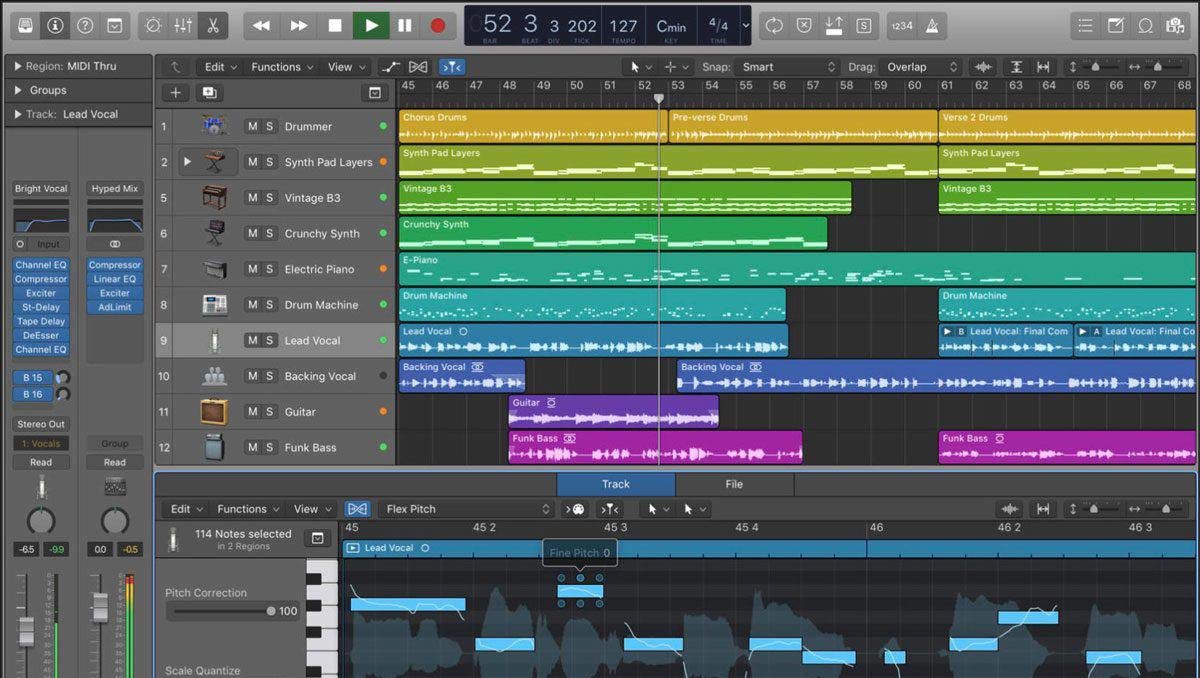
Available for Mac only, which excludes it from the Windows ecosystem.
Ableton Live (Ableton)
The dominant DAW in electronic music production and live performance. Its most distinctive feature is the Session View: a grid of clips that can be launched in any order in real time, ideal for non-linear composition, improvisation and stage performance. The conventional arrangement view is also present for production work.
Its audio manipulation tools (warping, time-stretching) are among the most advanced on the market. It is the preferred DAW of electronic producers, DJs and artists who integrate the computer into their live performances.

Cubase (Steinberg)
One of the most veteran DAWs on the market, with particularly strong adoption in Europe and in the world of composition for picture and video games. It has a high-quality audio engine, very advanced MIDI tools and a workflow oriented to both the recording engineer and the composer. Its integrated score editor makes it attractive for composers working with orchestra or delivering materials in music notation.
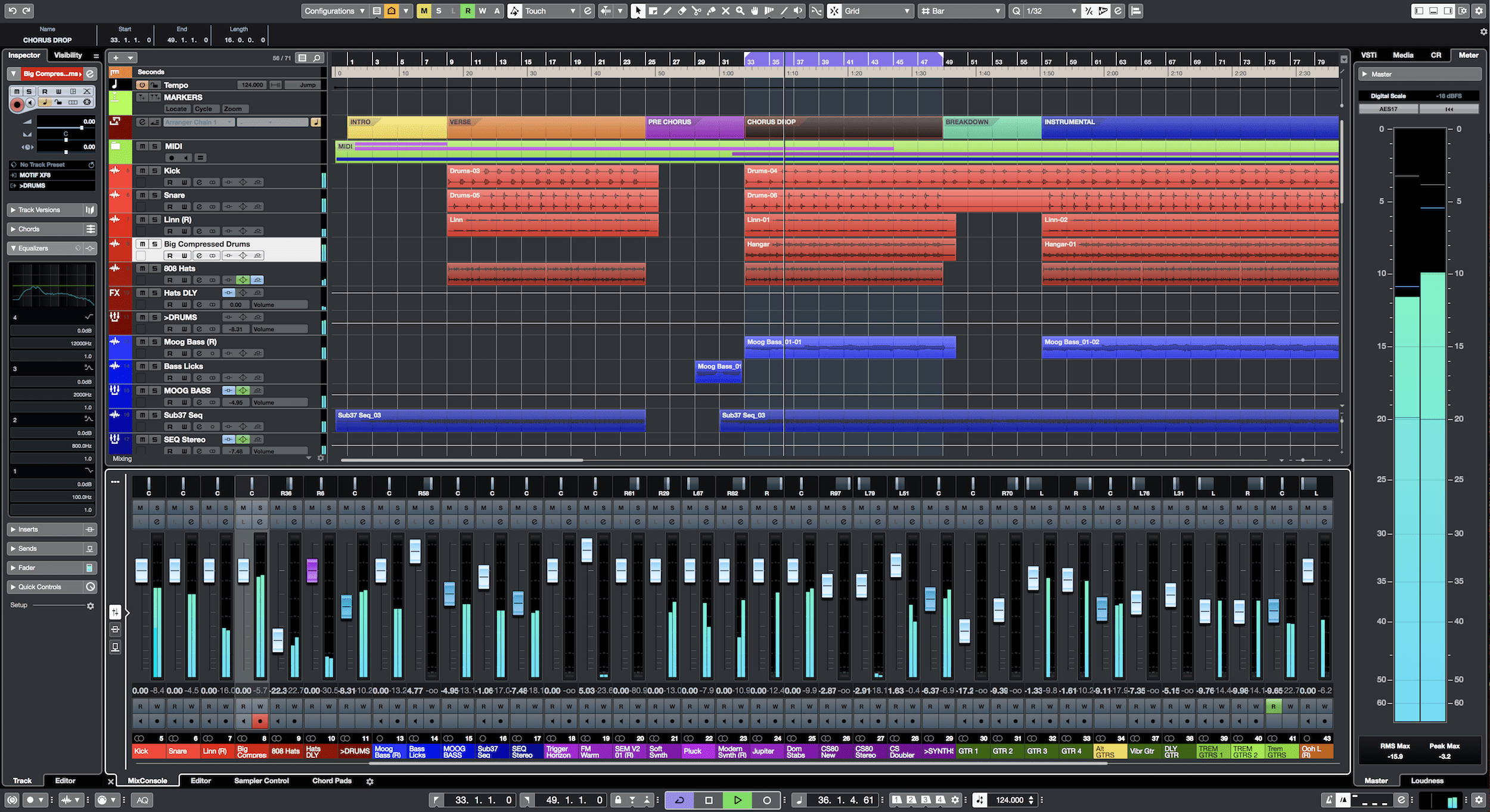
Available for Windows and Mac.
FL Studio (Image-Line)
The reference DAW for urban and electronic music production: hip-hop, trap, EDM and related genres. Its strength is the step sequencer and the piano roll, which allow beats and instrumentals to be programmed in a very visual and intuitive way. It is the first DAW that many urban music producers learn.
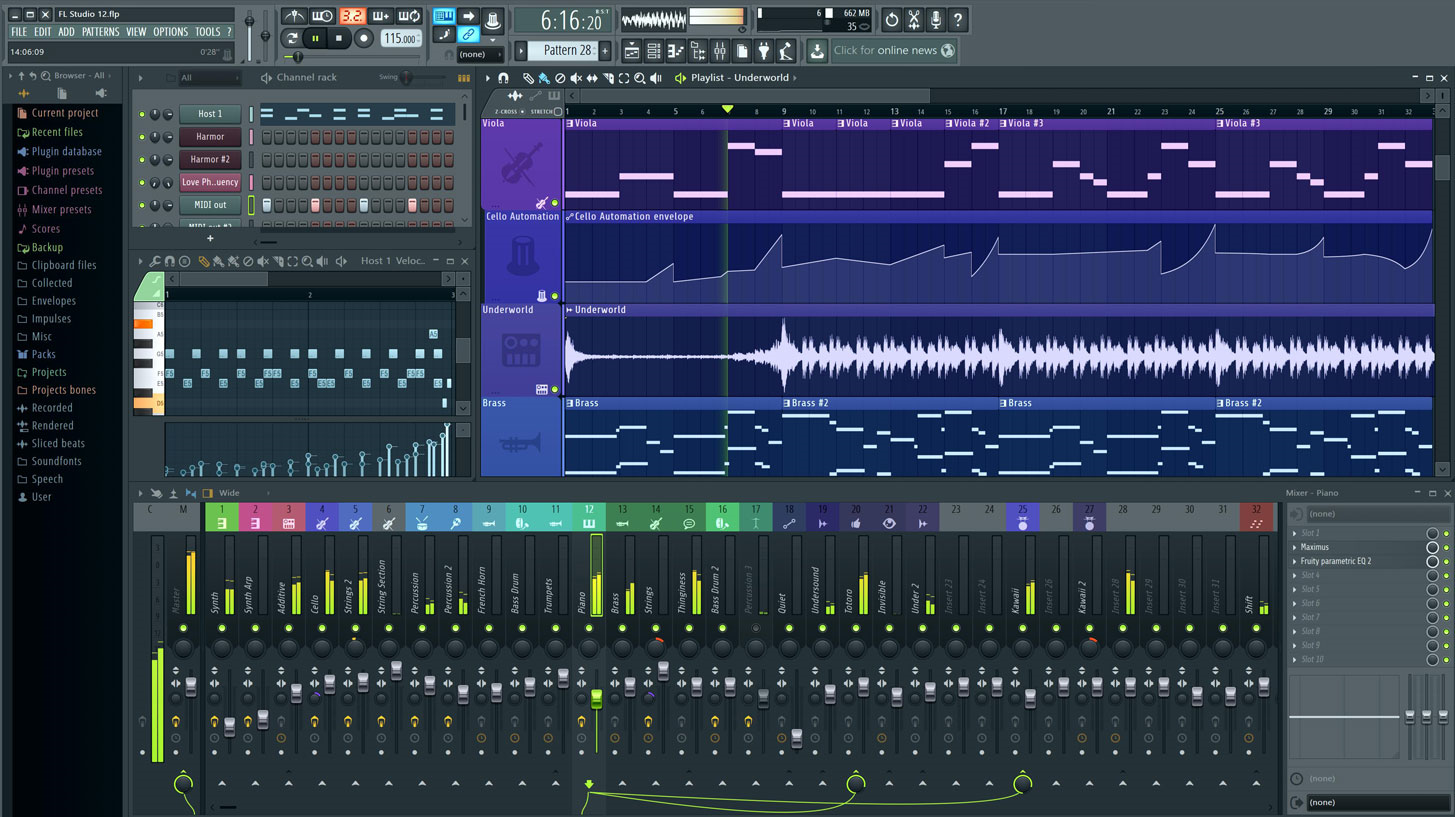
Available for Windows and Mac. One of its most valued features is that the licence includes free lifetime access to all future updates.
Reaper (Cockos)
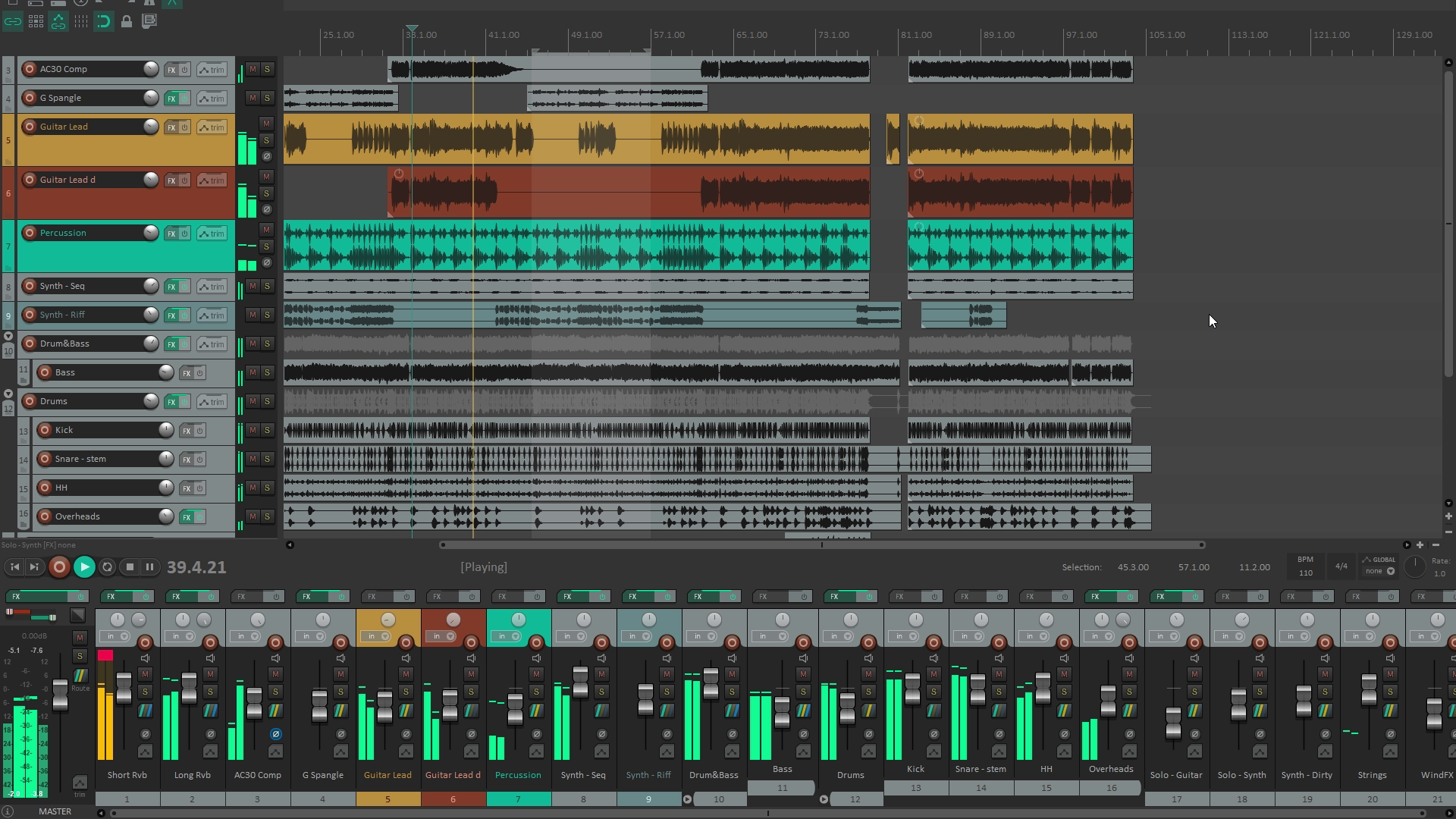
The most efficient DAW on the market in terms of value for money: its licence is very affordable and it offers performance and customisation that are difficult to match. It has no notable native virtual instruments, but its audio and editing engine are top-tier. It is very popular among sound engineers, post-production technicians and users who want a powerful DAW without the price tag of Pro Tools or Logic.
Summary: which DAW for each profile
- Professional recording and mixing, large studios: Pro Tools.
- Complete music production on Mac: Logic Pro.
- Electronic music, live performance: Ableton Live.
- Composition for picture, advanced MIDI: Cubase.
- Beatmaking, urban and electronic production: FL Studio.
- Best value for money, versatile professional use: Reaper.
- Getting started at no cost (Mac/iOS): GarageBand.
- Getting started at no cost (Windows): Cakewalk by BandLab.
How to choose the right DAW
Choosing a DAW is one of the decisions that is hardest to change once made: the learning curve is significant and most producers and engineers end up being highly efficient in one specific DAW and less so in others. For that reason, it is important to choose well from the start.
The determining factors are:
- The type of work: Multitrack band recording → Pro Tools or Logic. Electronic music production → Ableton or FL Studio. Composition for picture → Cubase or Logic. Without a defined use case, a generalist DAW like Logic, Cubase or Studio One is the best bet.
- The operating system: Logic Pro only runs on Mac. Pro Tools, Ableton, Cubase, FL Studio and Reaper all run on Windows and Mac. If you work on Windows, Logic is ruled out.
- Budget: GarageBand and Cakewalk are free. Reaper has a very affordable licence. Logic is a competitively priced one-time purchase. Pro Tools, Ableton and Cubase have higher prices or subscription models.
- Community and learning resources: The most popular DAW in your environment or musical genre has more learning resources available (tutorials, courses, forums) and more peers to help troubleshoot. This significantly accelerates the learning curve.
- Compatibility with the professional environment: If you work in a studio that uses Pro Tools or if you need to exchange sessions with other professionals, working in the same DAW avoids compatibility friction.
The most important thing to understand is that the DAW is a tool, not a destination. The concepts of recording, editing and mixing are the same regardless of the software: switching DAWs is easier once the fundamentals are well established. No DAW makes music sound better by itself; what matters is the knowledge of the person operating it.
